Blog · 2026.09.28
It drives the terminal itself
Most agents that touch your machine do it through a tool call you never see: a function that runs a command and hands back text. Elanous does something plainer. It opens a real terminal, types into it, reads the screen, and decides what to type next.
엘라누스는 보이지 않는 도구 호출 대신 진짜 터미널을 열어 치고, 화면을 읽고, 다음에 칠 것을 정합니다. 첫 질문은 «어느 AI 에게»가 아니라 «이 일을 끝내는 가장 작은 것»입니다.
A ladder, lowest rung first
That changes the first question it asks. Not "which AI should do this?" but "what is the smallest thing that finishes this?" Before anything runs, Elanous looks at the machine it is on — operating system, shell, package managers, the command-line tools present — and picks the lowest rung that can finish the job.
| Rung | What it uses | Example |
|---|---|---|
| 1 | Shell and text tools | jq, awk, ffmpeg |
| 2 | A tool that already knows the answer | gh, git, elanous logs |
| 3 | What Elanous itself provides | memory, logs, notes |
| 4 | The Elanous harness | a code change with gates, review and a pull request |
| 5 | An outside coding agent | a large build, or a second pair of eyes |
You can ask it without running anything: elanous agent-mission plan "sum the amounts in this CSV as JSON" answers rung 1 · jq · text conversion starts with shell tools.
Missing tool? It types the install — unless it needs you
If the rung needs a tool the machine doesn't have, Elanous types the install line for that machine into the terminal, waits for it to finish, and then checks the tool the only way that counts: by doing the smallest real job with it. jq has to turn {"a":1} into 1; a version number is not proof.
One line it never types: anything with sudo. That line goes to you, with the exact command, and the run carries on with what it can do without it.
What it did today
We ran the jobs end to end in a fresh terminal — on a Mac, and on a brand-new cloud machine with nothing but the operating system (deleted afterwards). The table is copied from the runs.
| Where | Job | What happened | Result |
|---|---|---|---|
| Mac | Sum a CSV as JSON | rung 1 · jq already there | total 6425 · 6.1 s |
| Mac | First 10 s of a video as a GIF | rung 1 · ffmpeg already there | 100 frames · 6.9 s |
| Mac, package tools hidden | Same GIF | typed brew install ffmpeg; brew wasn't on the path | said so, with the last lines of the screen |
| Bare Ubuntu VM | Same GIF | the install line needs sudo — not typed, handed to a person | stopped for a human |
Bare Ubuntu VM, jq removed | Sum a CSV as JSON | jq needs sudo → switched to awk on the same rung | total 6425 · 2.1 s |
The last row is the one we like: it didn't wait for you when a tool it already had could do the job.
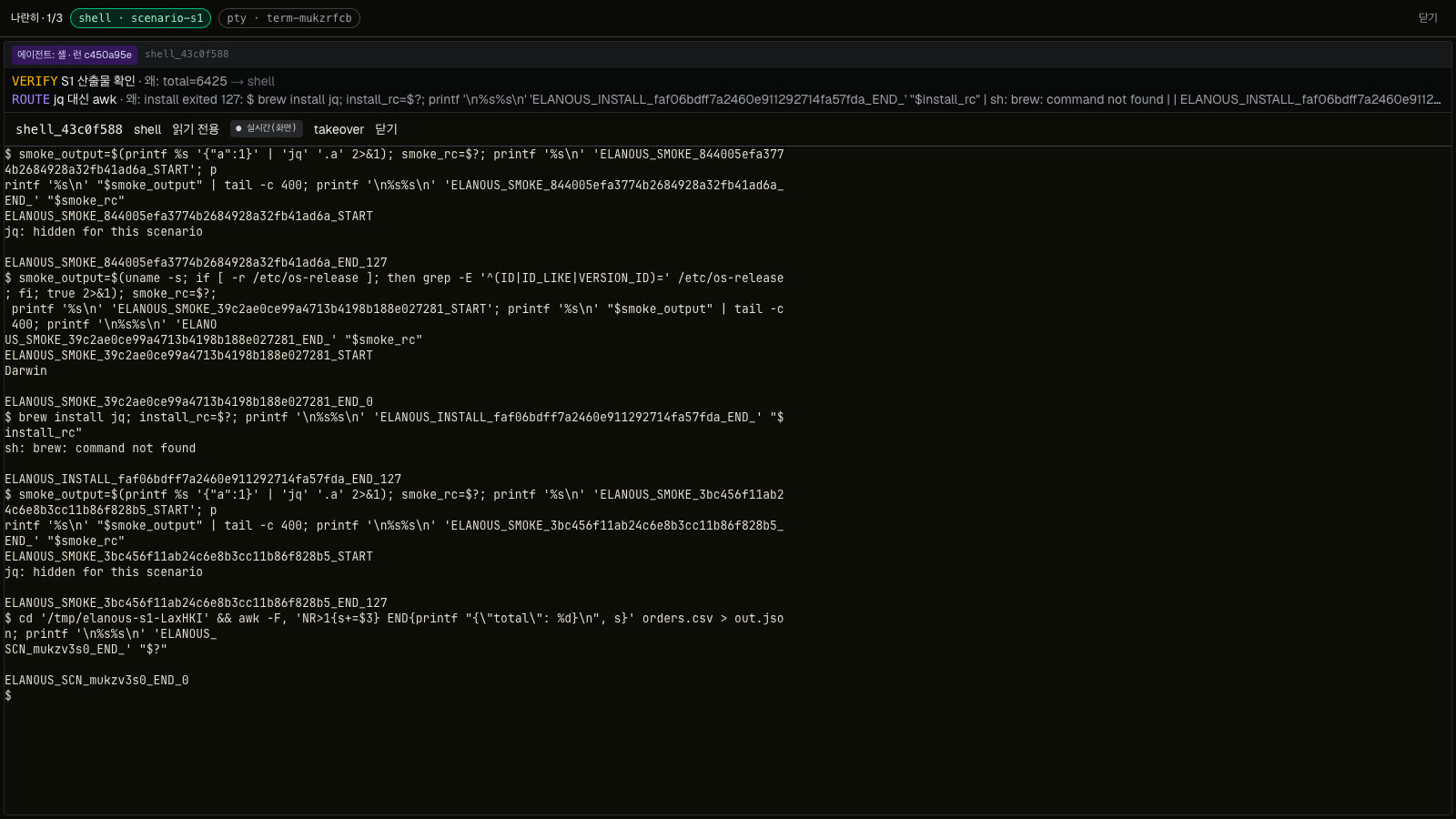
jq hidden on purpose: the install it typed failed, so it finished with awk — and the band above the screen says why.What running it for real caught
The install step had passed all of its tests. The first real run on a Mac failed anyway: the line it typed to detect the operating system used a shell construct that macOS's default /bin/sh misreads. Fake terminals in tests don't have that shell; a real one does. We fixed it, pinned it with a test, and kept the scenario runner so every change to this path gets a real terminal, not just a mock.
Watch it, take it over
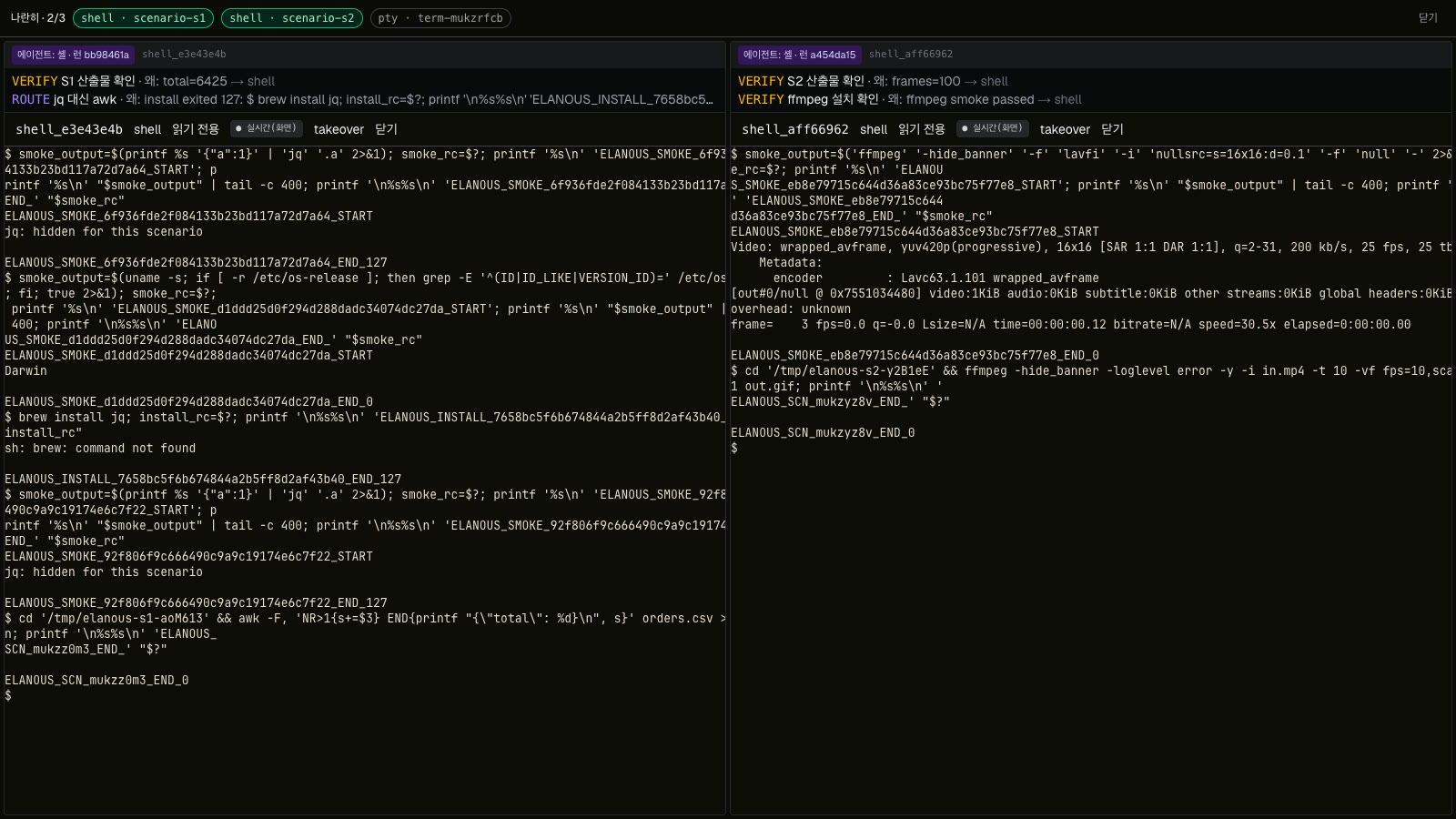
Every terminal Elanous drives shows up in the web app's Terminal tab. Side by side puts up to three next to each other, each with the run that drives it and an intent band — its last two decisions. If you want the keyboard back, take it over; Elanous stops typing until you release it.
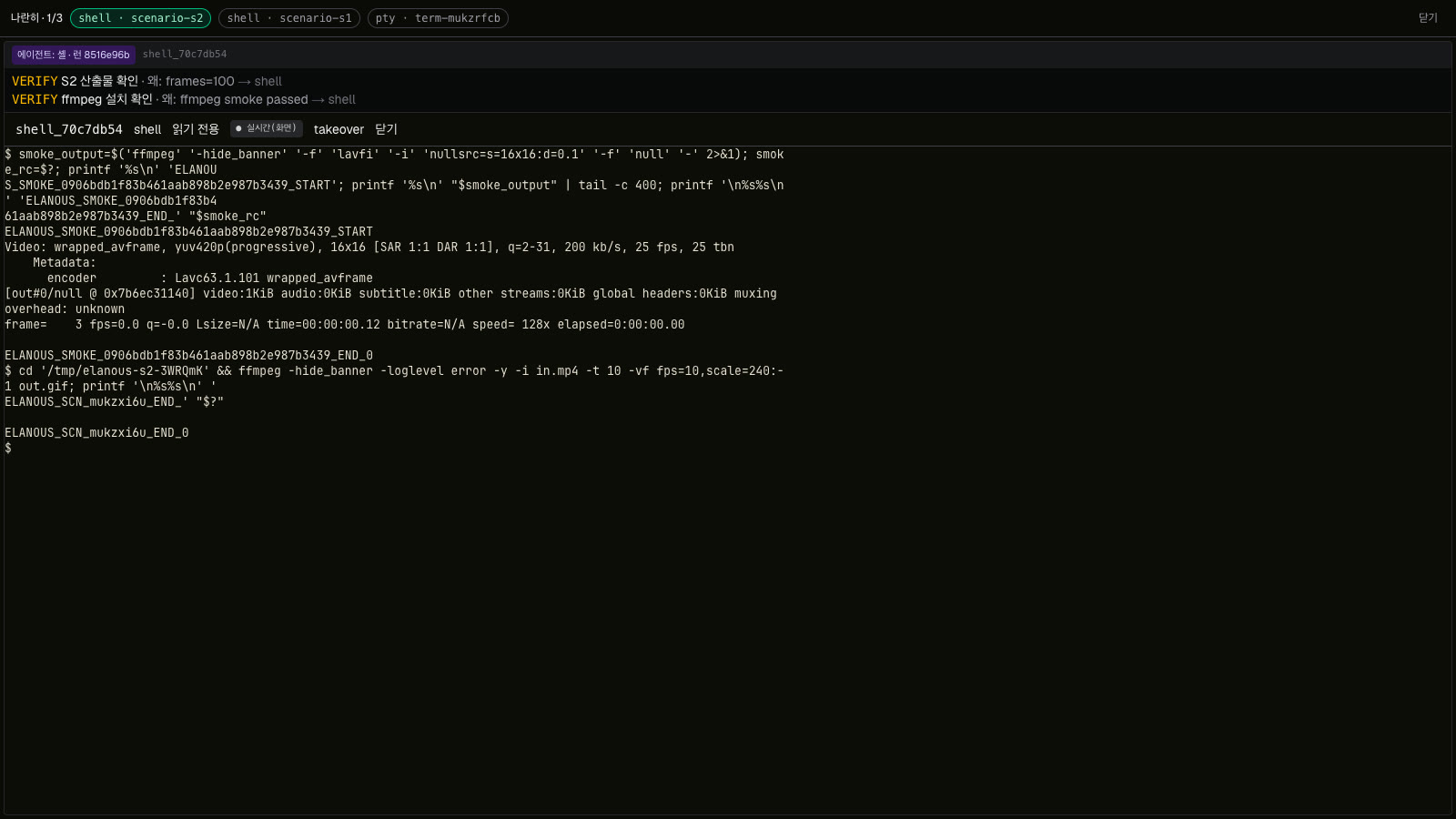
ffmpeg works, one line does the job, and the result is measured — 100 frames.Try it
elanous env profileelanous agent-mission plan "turn the first 10 seconds of in.mp4 into a GIF"
Elanous launches 2026.10.28. Read Watch the agent think, or see how a run goes round on elanous.ai.